Parents ·
Why No Browser Filter Works Inside Snapchat, TikTok, or Instagram, and What Does

You picked out the phone. You picked the apps they can use, turned on Screen Time rules, and sat down with them. Then your teen opens Snapchat, and you realize none of that reaches inside the apps where they spend most of their time.
That's not a setup mistake. It's how phones work. Teens live in apps, not browsers, and a browser filter only sees what happens in the browser. This guide explains why, what the apps themselves let you control, and how to put the pieces together so the gaps are as small as they can be.

Where Teens Actually Spend Their Time Online
Most of a teen's phone time happens inside a handful of apps. In a fall 2025 Pew Research Center survey of U.S. teens ages 13 to 17:
- 92% said they use YouTube
- 68% use TikTok
- 63% use Instagram
- 55% use Snapchat
About 1 in 5 teens said they're on TikTok almost constantly.
None of those numbers describe a browser. They describe apps with their own feeds, their own messaging, and their own rules.
The takeaway: a plan built only around web filtering will always miss part of the picture.
Why a Browser Filter Can't See Inside Social Apps
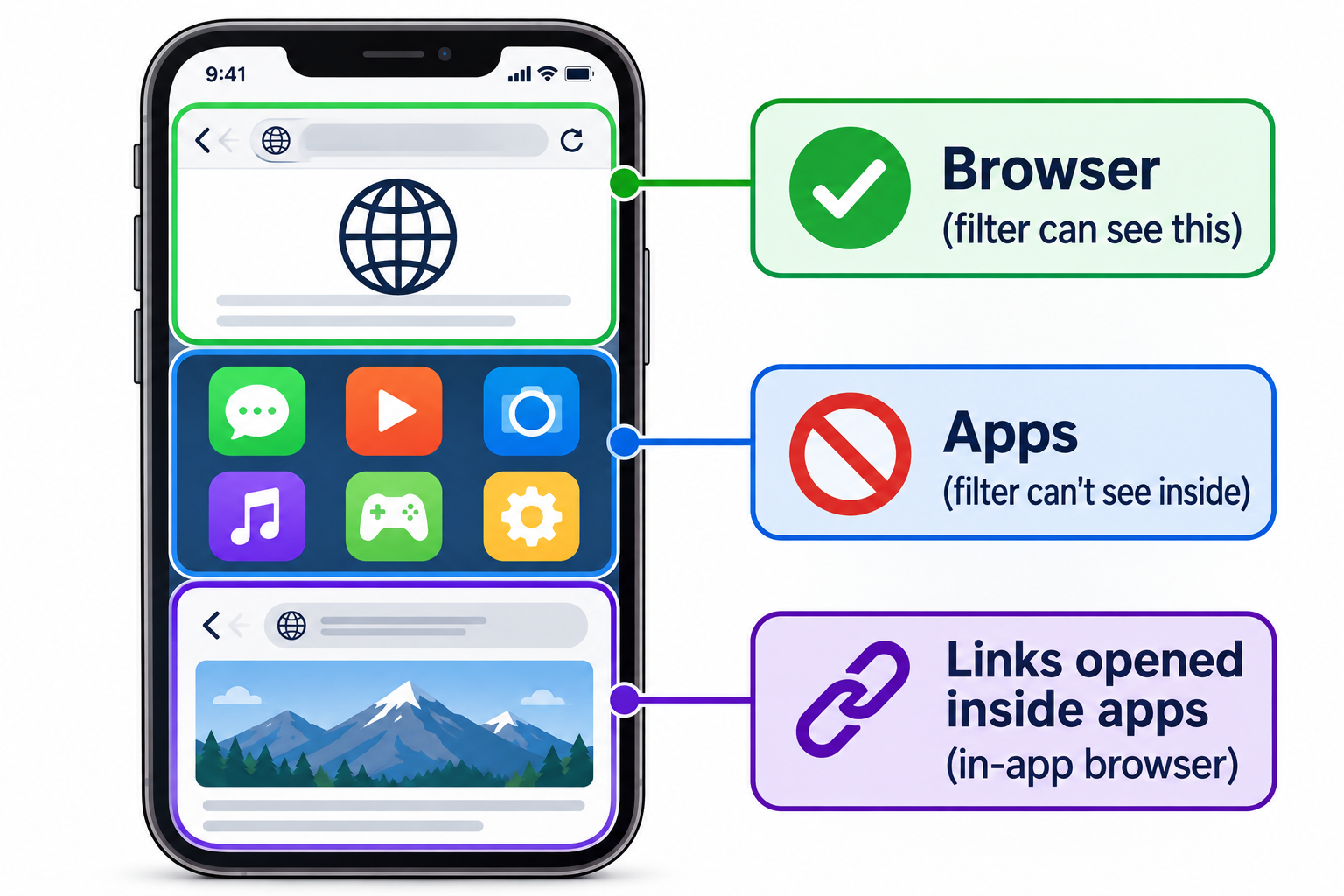
A filtered browser checks the pages you open in that browser. Snapchat, TikTok, and Instagram aren't web pages your teen visits. They're separate apps that load their own content, and a browser has no view into them.
There are two more gaps parents run into:
🔗 In-app browsers
When your teen taps a link inside TikTok or Instagram, it usually opens in the app's own built-in browser, not in Safari or in the filtered browser you chose. According to a May 2026 TechLockdown guide, most social apps use this kind of built-in browser, and Screen Time can't fully manage it.
🌐 Domain-level filtering
DNS filtering, which blocks known explicit websites across the phone, works by blocking whole web addresses. As CleanBrowsing explains, it checks where a request is going, not what a post says, and a VPN can route around it. It can stop a link to an explicit site. It can't judge a video in a feed.
So, is there an app that blocks porn on Snapchat? No. No filter on an iPhone can read what's inside another app yet. What you can do is control which apps are on the phone, use each app's own teen settings, and filter the web wherever the web is reachable.
What Works: Three Layers That Cover Each Other's Gaps
No single tool covers everything, but three layers together cover a lot. Each one handles something the others can't.
📱 Layer 1: Decide which apps are on the phone
This is the one layer that reaches every app, because it controls whether the app is there at all. On iPhone, it lives in Screen Time. Apple's parental controls guide walks through each step.
- Turn on Content & Privacy Restrictions and set a Screen Time passcode only you know.
- Require approval for new apps. Turn off app installs, or use Ask to Buy, so a new app or a second browser can't appear without you knowing.
- Set App Store age ratings. Apple now rates apps 4+, 9+, 13+, 16+, and 18+. With Ask to Buy, you can approve a specific app above the rating you set and take that approval back later.
- Use Allowed Apps & Features to hide apps you've decided against for now. Hidden apps aren't deleted.
- Prevent app deletion so a filtered browser can't be removed and reinstalled. [VERIFY: confirm the current menu name for blocking app deletion in iOS 26]
Already on by default: if your teen has an Apple Account under 18, iOS 26 turns on web content filtering and Communication Safety (which blurs nudity in Messages, FaceTime, and Photos) automatically. That's a good starting point, but check that both are still on. A teen with the Screen Time passcode can change them any time they want.
⚙️ Layer 2: Use each app's own teen settings
Snapchat, TikTok, and Instagram each have parent tools built in. They don't let you read messages, and they shouldn't. What they do is give you visibility and set safer defaults.
| App | Parent tool | What you can do | What you can't do |
|---|---|---|---|
| Snapchat | Family Center | See your teen's friends list, who they've recently talked with, and how they spend time in the app; set content restrictions; turn off My AI | Read messages or see Snaps |
| TikTok | Family Pairing | Set daily screen time limits and Restricted Mode; see your teen's privacy settings, feed topics, and blocked accounts | See private messages or what they watch |
| Teen Accounts and parental supervision | Teens under 18 start in a 13+ content setting modeled on PG-13 movies and need your permission to leave it; you can pick the stricter Limited Content setting | See messages or filter everything they see |
A few details worth knowing:
- Snapchat added more Family Center detail in January 2026, including a breakdown of time spent and signals that show whether a new friend shares mutual friends or is saved in your teen's contacts (Snap Newsroom).
- TikTok expanded Family Pairing in July 2025 and is testing alerts when your teen posts something others can see (TikTok Newsroom).
- Instagram announced its PG-13 content standard for teen accounts in October 2025 (CBS News).
Set them up together. Each of these requires your teen to link accounts with you. A teen who helped turn on a setting is less likely to treat it as a trap.
🛡️ Layer 3: Filter the web wherever the web is reachable
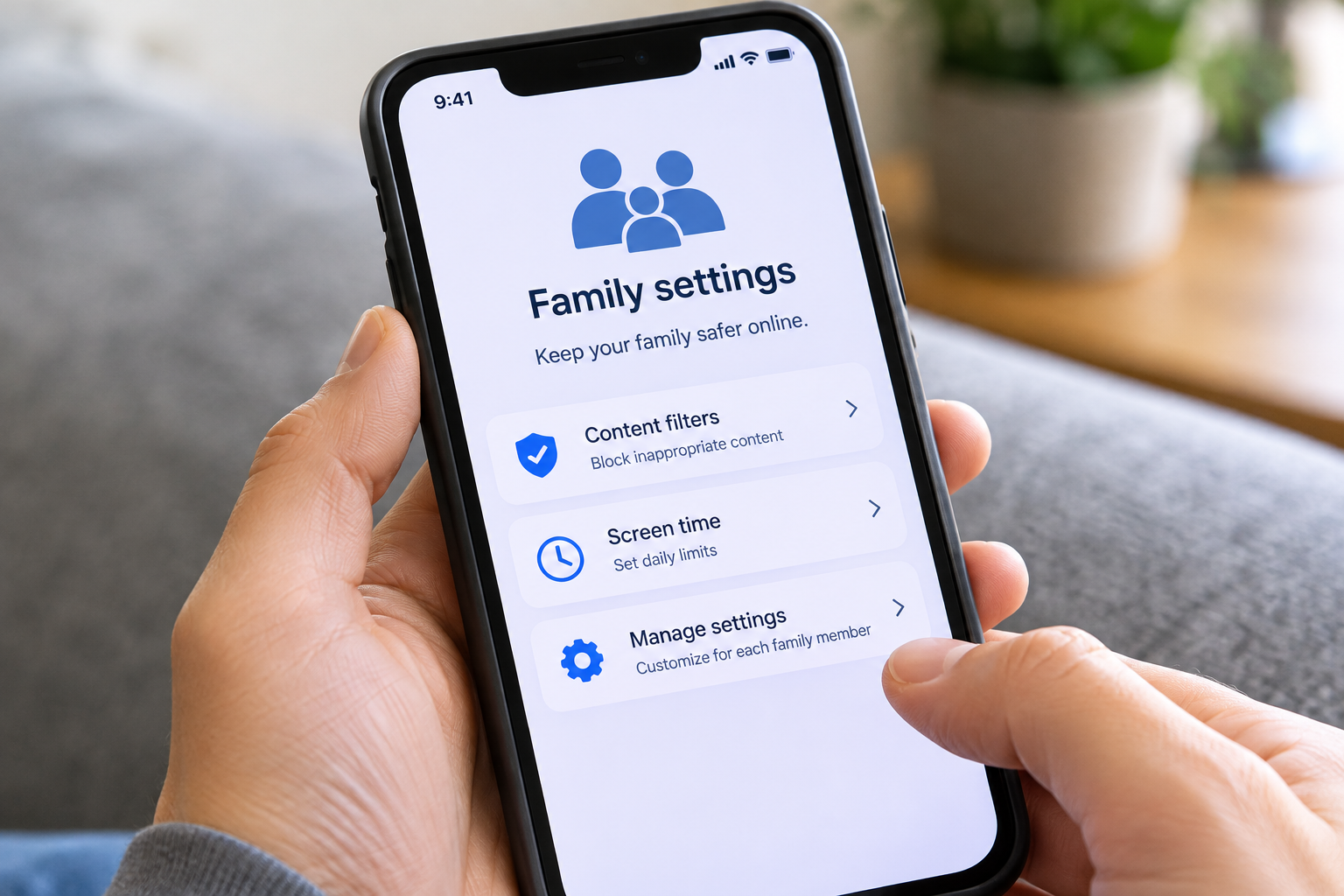
The web is still one of the easiest places to reach explicit content, through a search, a link, or an image result, by accident or on purpose. That's the gap Purus was built for.
Purus is an iPhone browser that filters explicit content using eight layers, including:
- Blocked-site lists
- Keyword scanning
- Enforced SafeSearch on major search engines
- Forced YouTube Restricted Mode
It also blocks Snapchat, TikTok, and Instagram inside the browser, so the web versions of those apps can't be used to get around the limits you set in Layer 2.
Here's what Purus doesn't do, because you should know before you choose it:
- It doesn't filter inside other apps. Snapchat, TikTok, Instagram, and the YouTube app are outside its reach. That's why Layers 1 and 2 matter.
- It works best as the only browser. Purus's optional DNS layer blocks known explicit sites in other browsers too, and it can be removed in iOS Settings, so lock Settings changes behind your Screen Time passcode.
- It won't catch everything. No filter does, and Purus says so, but it gets pretty dang close.
Bring Your Teen Into It
Teens are good at finding workarounds, and a plan they had no part in is the one they'll work hardest to get around.
The goal is to be a mentor, not a guard.
- Explain the why. "Apps are designed to keep you scrolling, and these settings push back on that" lands better than "because I said so."
- Set the settings up together. Family Center, Family Pairing, and Instagram supervision all need your teen's account anyway.
- Agree on what happens when something gets through. Make it clear that telling you about something they saw won't cost them their phone.
- Plan to loosen up. Tie more freedom to specific milestones, like a driver's license or a semester with no issues, so they can see a path forward.
✅ Teen iPhone Checklist: Apps and Web
- Turn on Screen Time with a passcode your teen doesn't know
- Require approval for new apps, including other browsers
- Set App Store age ratings and review which apps are allowed
- Check that web content filtering and Communication Safety are on
- Link Snapchat Family Center, TikTok Family Pairing, and Instagram supervision with your teen
- Set a filtered browser like Purus as the browser they use, and turn on its DNS layer
- Keep phones charging outside the bedroom overnight
- Put a date on the calendar to review the settings together
Frequently Asked Questions
Is there an app that blocks porn on Snapchat?
No app can filter what's inside Snapchat. Use Snapchat's Family Center for visibility and content restrictions, control whether Snapchat is installed through Screen Time, and use a filtered browser so the web version can't be used as a workaround.
Can I see my teen's Snapchat or TikTok messages?
Not through the apps' parent tools. Snapchat's Family Center shows who your teen talks with, but not what they say, and TikTok's Family Pairing doesn't show private messages either.
Does Screen Time's web filter work inside apps?
Partly. It filters Safari, but links opened inside social apps often use the app's own built-in browser, which Screen Time can't fully manage.
Will my teen just get around it?
A determined teen can get around almost any single setting, but not Purus. Layers make that harder, and a teen who understands the reasons and helped set things up has less reason to try.
Does Purus work on Android?
Not yet. Purus is for iPhone, on iOS 16 or later.
The Bottom Line
No filter can see inside Snapchat, TikTok, or Instagram, and any product that says otherwise is overselling. What you can do is:
- Decide which apps are on the phone
- Turn on each app's own teen settings with your teen
- Filter the web where it can be filtered
Then keep talking, because that's the part that reaches places no setting can.
If your teen has an iPhone, Purus can cover the web part of that plan. Learn more at purusai.com
Sources
- Teens, Social Media and AI Chatbots 2025, Pew Research Center (survey of 1,458 U.S. teens, Sept. 25 to Oct. 9, 2025)
- Use parental controls on your child's iPhone or iPad, Apple Support
- A Parent's Guide to iOS 26, Protect Young Eyes (iOS 26 defaults for under-18 accounts and new age ratings)
- Apple makes Child Accounts in iOS 26 safer, AppleInsider
- How to block the in-app browser on iPhone, TechLockdown (May 2026)
- How kids bypass content filters, CleanBrowsing
- Deeper insights with Family Center, Snap Newsroom (Jan. 22, 2026)
- Supporting families with new Family Pairing features, TikTok Newsroom (July 30, 2025)
- Instagram introduces new restrictions for teen accounts, guided by PG-13 movie ratings, CBS News (Oct. 14, 2025)
- Purus, product features and limitations
Purus is an iPhone browser with eight filtering layers and no account. Try it free for 14 days.
